
🎁 15 days free — upload your menu in 2 minutes, we do the rest. No card, no bank details.
⚡ 2-minute upload · Zero manual typing · Live in 4-5 hrs
Create Digital Menu
& Restaurant Ordering
Smoother — For Everyone.
RestroBuzz replaces your printed menu with a QR code. Guests scan it at the table, browse, and order themselves — table number attached to the order, no waiter needed to take it down. You keep full control over prices and dishes, and every order shows up live on your dashboard.
No credit card
No documents required
Cancel anytime
menu live - No Manual typing
Create account
Upload Menu Images/PDF
QR generated
Menu live
Your guest — scans & orders
Scan QR
Choose item
Select table
Order placed
Order served
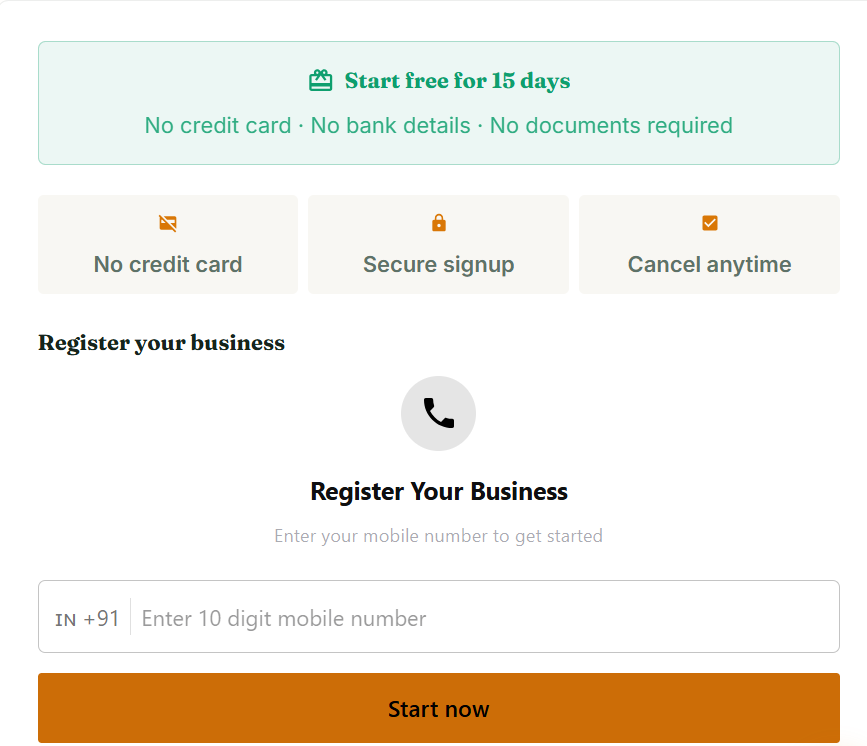
STEP 01 — VERIFY
Register your business
Enter your 10-digit mobile number. No credit card, no bank details, no documents — just a number to verify.
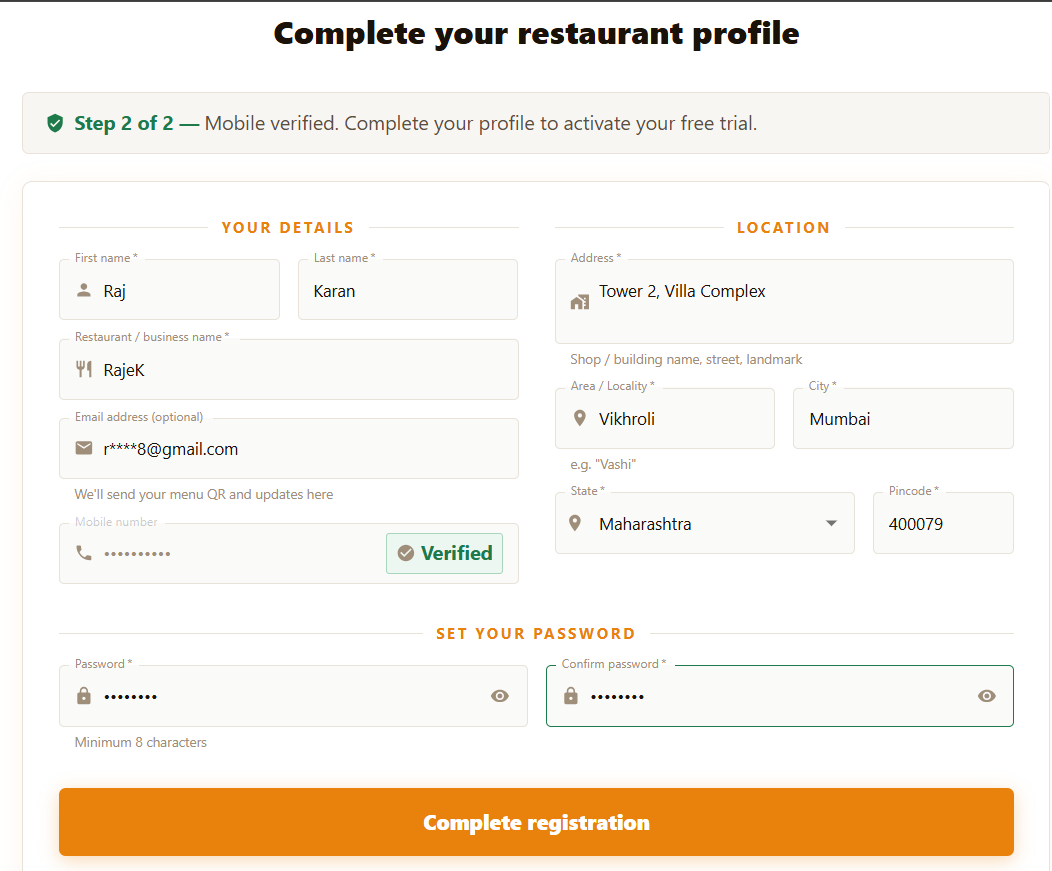
STEP 02 — PROFILE
Complete your profile
Add your restaurant name, address and a password. Two minutes, and your free trial activates instantly.
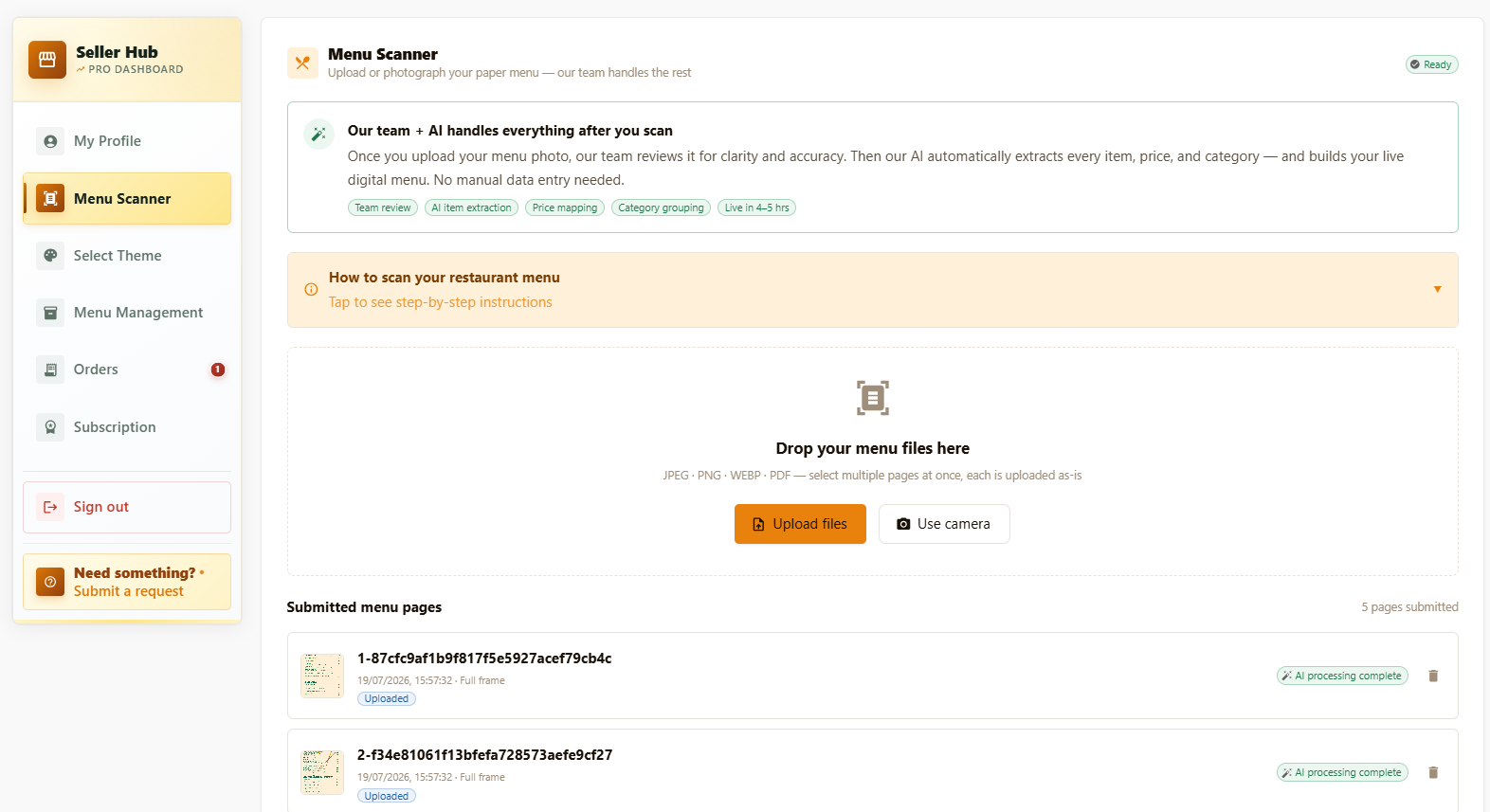
STEP 03 — UPLOAD
Upload images or a PDF — that's it
No manual typing, ever. Drop in photos of your paper menu or a PDF export. Our team reviews it and our AI extracts every item, price and category.
Once it's live, guests can order straight from the table too.
Scan the table QR
Guest scans the code on the table — the full menu opens instantly in their browser. No app to download.
Order & get a token
They pick items, add a note if needed, and place the order themselves. A token number confirms it's in.
Order lands on your dashboard
Your team sees it the moment it's placed — table number, items and any notes, ready to act on.
Status updates live
Placed → Preparing → Ready — the guest's screen updates on its own. No more asking the waiter for news.
From browse to bite
How a guest actually orders
Five screens, one uninterrupted journey — from the first scroll through the menu to watching the plate get plated.
01
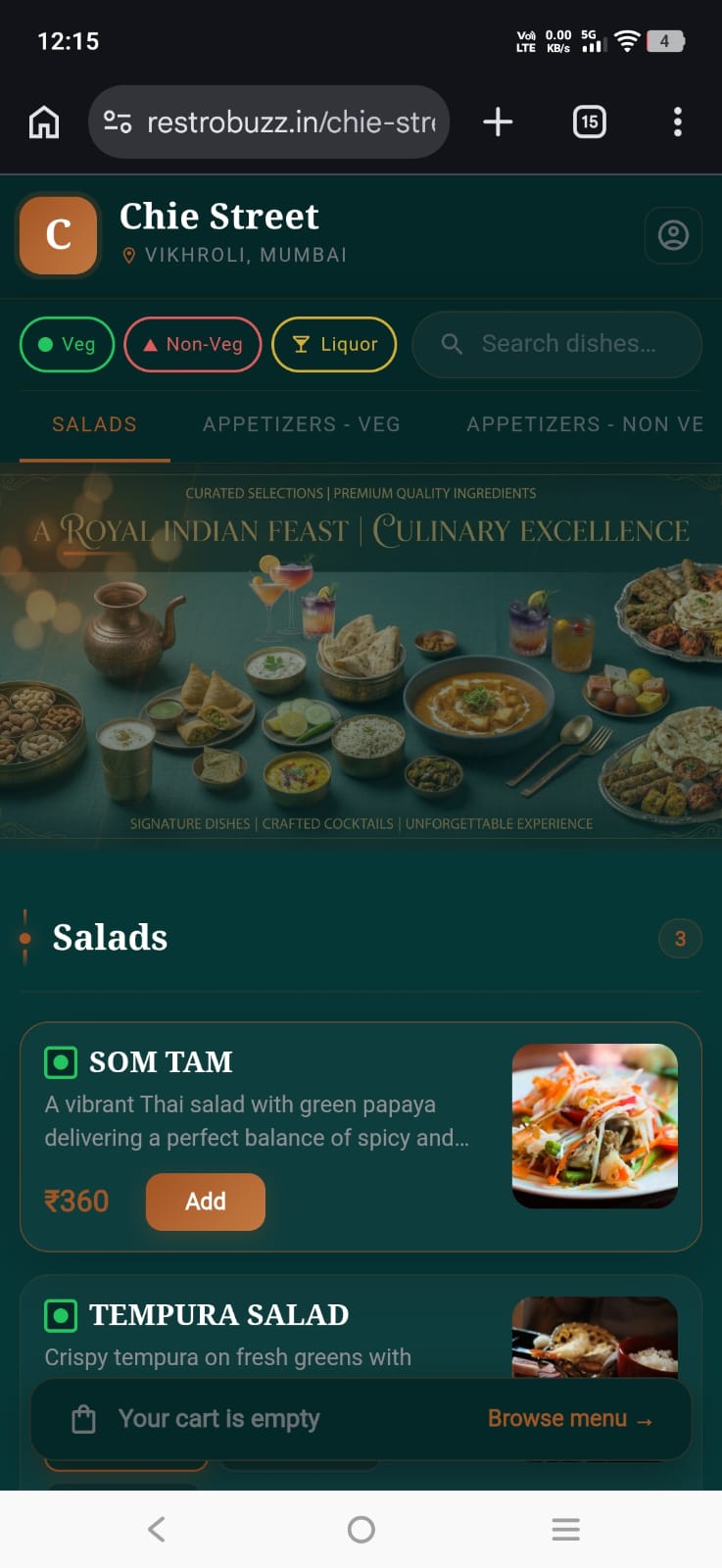
Browse the menu
Guests land on categories like Salads, Appetizers and Liquor, with Veg / Non-Veg filters and instant dish search up top.
02
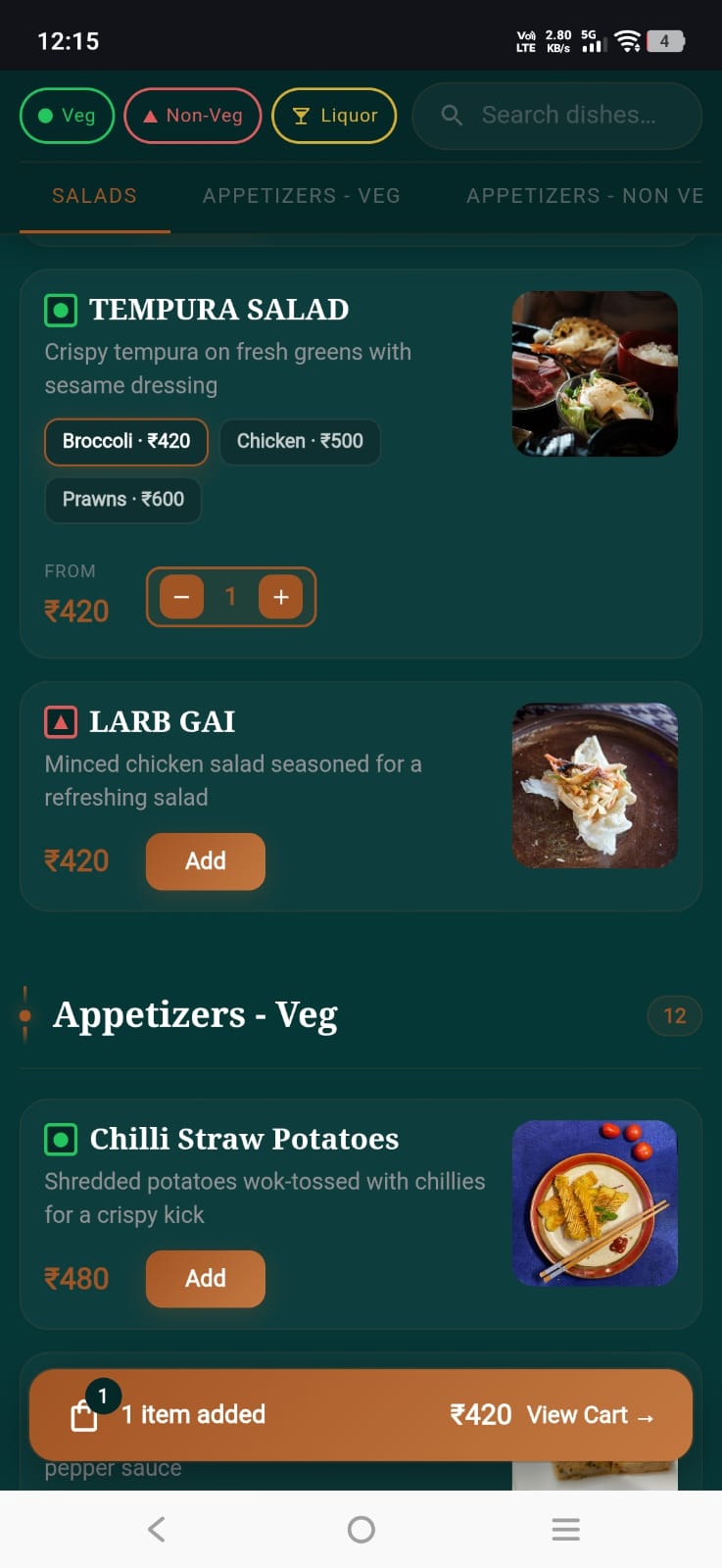
Pick a variant, add to cart
Dishes with options — Tempura Salad in Broccoli, Chicken or Prawns — expand inline with a quantity stepper before adding.
03
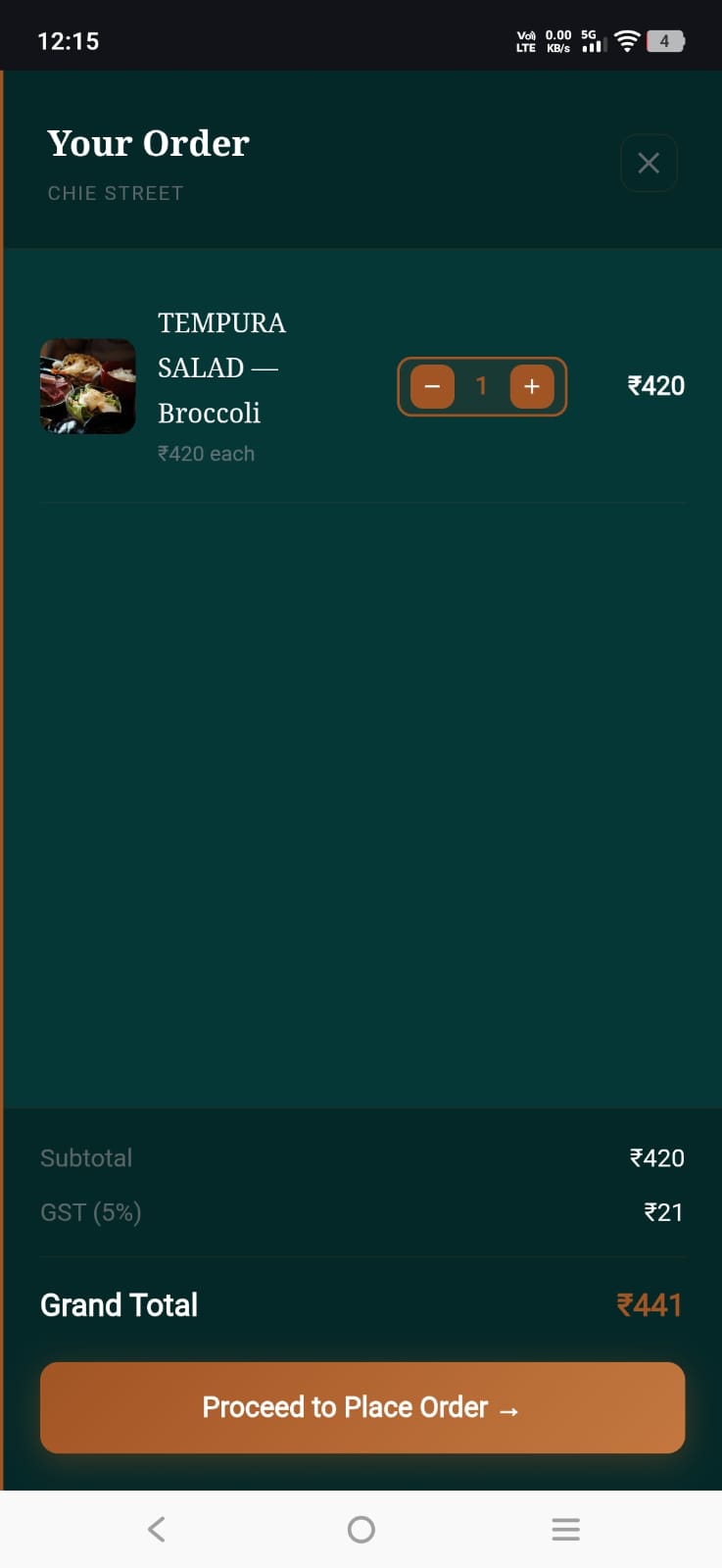
Review the order
The cart drawer lays out every line item, subtotal, GST and grand total before the guest commits to placing it.
04
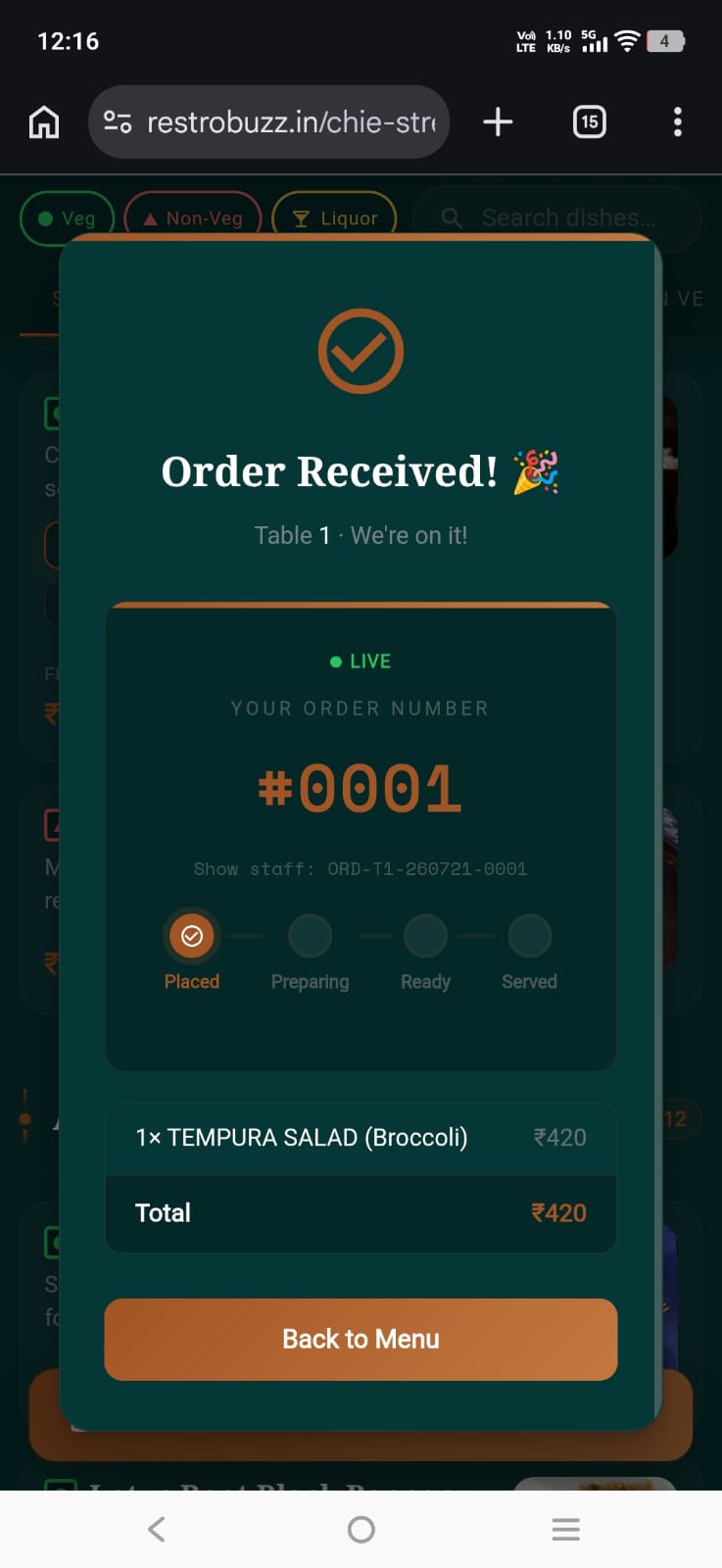
Instant confirmation
A live order number and status ring confirm the ticket reached the kitchen — no refreshing, no wondering.
05
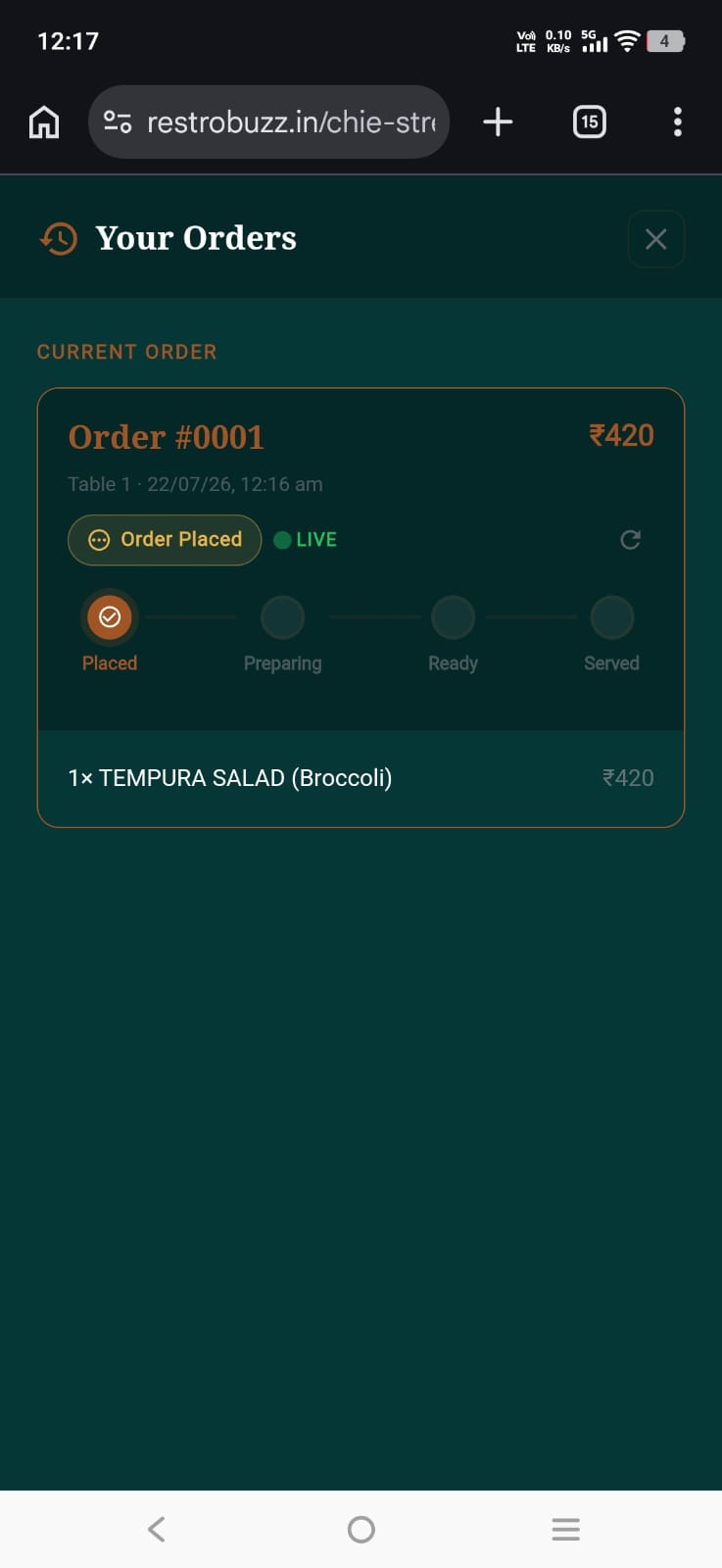
Track it, table-side
The same status ring lives in “Your Orders,” moving from Placed to Preparing to Ready to Served in real time.
Explore beautiful themes
Themes built for your menu
Swipe or tap the dots to flip between each theme's preview screen and its banner, then tap the image to zoom in full size.
Built for the floor, not the back office.
Zero manual menu entry
Upload photos or a PDF of your existing menu — that's the only work you do. No typing out dishes, no forms, no templates. Our team and AI handle the rest.
Live in 4-5 hours
Once you upload, you're done. Every item, price and category gets structured and published automatically — no follow-up steps on your end.
Price updates in minutes
Change pricing at global, category (Starters, Bar Drinks) or single-item level. Every update goes live on the customer-facing menu in minutes.
Instant show / hide
Sold out of a dish, or retiring a whole category? Disable it with one switch and it disappears from the live menu immediately — no republishing.
Guests can order themselves
Guests scan, browse and place their own order from the table, with a live token that updates as the kitchen works on it — no waving down a waiter.
Switch themes instantly
Pick from multiple presentation layouts with one tap, so the menu always matches your restaurant's physical ambience and mood.
Try it free. Stay for the savings.
Explore
15 Days Free Trial
₹0
15 days of full access — upload your menu once, we set it up, and you try everything with real guests before paying anything.
Start free trialGet going
1 Month Plan
₹99
₹999
Upload your menu once, zero manual typing — we handle setup and it's live in 4-5 hours. One month of full access.
Choose 1 monthBest value
3 Month Plan
₹299
₹1,999
Just ~₹100 per month
Everything in the 1-month plan, for 90 days — the best way to see order volume and repeat usage settle in.
Choose 3 monthsReservations
Today
7:30 PM
Sharma, party of 4
4 guests · Table 12
8:00 PM
Rina Kapoor
2 guests · Table 05
8:15 PM
Ahuja family
6 guests · Table 09
9:00 PM
Verma, party of 2
2 guests · Table 03
See tonight's bookings before your guests walk in.
Every spot reservation lands in one upcoming-bookings panel — sorted by time, with table and party size at a glance, so your host stand never gets caught off guard.